
Tools & Gateways Multi-Protocol Analyzer & Test Bench

CAN / CANopen / J1939 Analyzer

Description

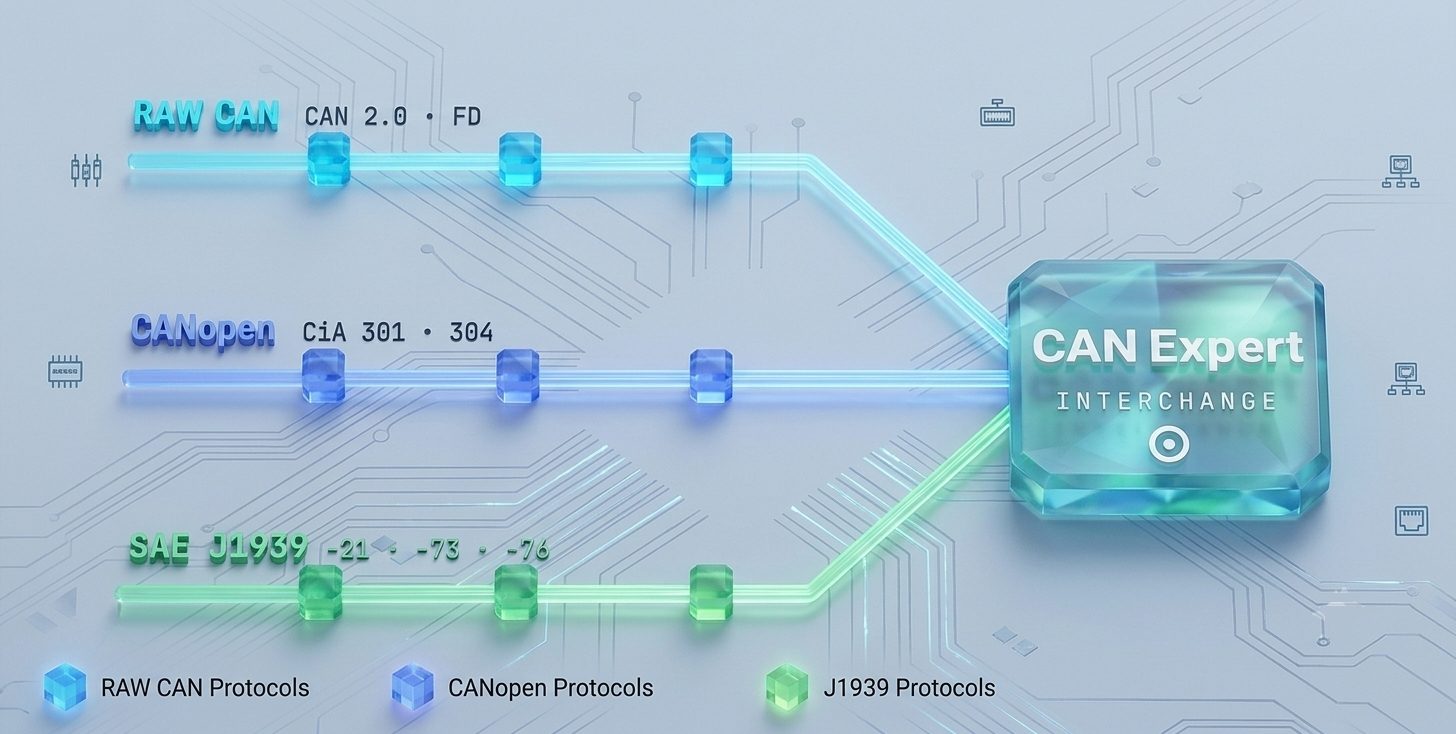
The CAN CANopen J1939 analyzer — CAN Expert — is a multi-protocol analyzer and device test bench that unifies Raw CAN, CANopen (CiA) and SAE J1939 in one environment. It lets you monitor and decode every layer of your networks, then go further: simulate missing nodes, configure real devices, stimulate ECUs and inject faults.

More than a bus monitor

Where most tools stop at capture and decode, the CAN CANopen J1939 analyzer acts on the network. Frames are decoded live against DBC, EDS/DCF and SAE Digital Annex databases and plotted as signals, with real-time bus statistics. You can even auto-build a ready-to-use database from a live network scan, so you can analyse a bus you had no database for.

Test your devices, not just the bus

The CAN CANopen J1939 analyzer simulates part or all of a network from your project DBC, configures CANopen nodes over SDO, sends J1939 PGNs by SPN value, and injects protocol and safety faults to validate device behaviour end-to-end. Dedicated SRDO (CiA 304) and SDG (J1939-76) testers cover functional-safety protocols, and a one-key driver hot-swap moves the same scenario between simulation and real hardware.

Works with or without hardware

A full simulation and loopback mode means the CAN CANopen J1939 analyzer runs entirely in software — ideal for demos, training, offline analysis and CI pipelines — or over PEAK, IXXAT, Kvaser, Vector and VCAN-over-UDP interfaces when you connect to a real bus.

Scriptable and automatable

A built-in JavaScript engine with around 87 API functions and event callbacks turns manual checks into repeatable, unattended test sequences. Traces import and export as ASC and MDF4, and the workspace offers dockable widgets and light, dark and high-contrast themes. The result is one tool to observe, decode, configure and stress-test devices across Raw CAN, CANopen and J1939.

Applications

The CAN CANopen J1939 analyzer is used by embedded and test engineers for device bring-up, protocol conformance checks, interoperability testing, production and end-of-line test, field diagnostics and training. It suits automotive and off-highway, industrial machinery, robotics and any team that develops or validates Raw CAN, CANopen or J1939 devices — on the bench, in the vehicle or in a CI pipeline.

Supported interfaces and databases

The CAN CANopen J1939 analyzer decodes against DBC, EDS/DCF and SAE Digital Annex databases and connects over PEAK, IXXAT, Kvaser, Vector and VCAN-over-UDP interfaces, plus full simulation and loopback drivers. Classic CAN 2.0A/B and CAN FD are supported, and traces import and export as ASC and MDF4, so the analyzer fits cleanly into existing toolchains and test automation.

Key Benefits

  • Three protocols, one tool Raw CAN, CANopen and J1939 in a unified workspace with a single Network tree, shared DBC handling and no context switching between vendor utilities.
  • A real test bench, not just a scope Simulate absent nodes, download configurations, generate PDO/PGN traffic and inject protocol faults to validate device behaviour end-to-end.
  • Runs with or without hardware Full simulation and loopback drivers power demos, training, offline analysis and CI pipelines — no physical CAN interface required.
  • Scriptable & automatable A built-in JavaScript engine with ~87 API functions and event callbacks turns manual checks into repeatable, unattended test sequences.

Key Features

  • Raw CAN, CANopen (CiA 301/302/304/305/306) and SAE J1939 (-21/-73/-76/-84) in one tool
  • CAN 2.0A/B and CAN FD up to 8 Mbit/s data phase
  • Live decode against DBC, EDS/DCF and SAE Digital Annex databases
  • Auto-build a ready-to-use database from a live network scan
  • SRDO (CiA 304) and SDG (J1939-76) functional-safety testers
  • Node-locked licence, freely transferable between PCs

Complete Feature Set

Data Monitoring

  • Scrolling and overwrite views with per-ID counters and min/avg/max cycle time
  • Live Data window and oscilloscope scope, up to 5 signals per instance
  • Named, saveable accept/reject ID filters; CSV export
  • Real-time bus statistics: bus load, error rate, node error state, 64-bit frame counter

Device Testing

  • Simulate part or all of a network from your project DBC, with per-node scripts
  • CANopen: SDO read/write, PDO mapper, NMT/heartbeat, LSS setup, SDO firmware download
  • J1939: send PGNs by SPN value, BAM & CMDT transport, address claiming
  • One-key driver hot-swap between simulation and the real device

Diagnostics

  • CANopen: heartbeat/node-guarding, EMCY with error-code interpretation, SRDO monitor
  • J1939: DM1/DM2/DM6 DTCs, lamp status, SDG safety monitor (J1939-76)
  • CAN FD ESI flags for error-passive nodes
  • Unlimited-size capture, triggers, Event Finder and user tags for intermittent faults

Technical Specifications

Platform & Protocols

Platform & Protocols
Parameter Value
Platform Windows 10 / 11 · [Coming next: Linux / SocketCAN]
CAN standards CAN 2.0A/B · CAN FD — 10 kbit/s to 1 Mbit/s (arb.) · 2 / 4 / 5 / 8 Mbit/s (data)
Higher-layer protocols Raw CAN · CANopen (CiA 301/302/304/305/306) · SAE J1939 (-21/-73/-76/-84)

Interfaces & Databases

Interfaces & Databases
Parameter Value
Supported interfaces PEAK · IXXAT · VCAN over UDP · Simulation · Loopback · [Coming next: Kvaser · Vector · SocketCAN]
Databases DBC (Vector, read/write) · EDS · DCF · SAE Digital Annex
Trace formats ASC · MDF4 · CSV · native project .cexpert

Datasheet

Enter your details to download the CAN / CANopen / J1939 Analyzer datasheet (PDF).

Frequently Asked Questions

Which protocols does the analyzer support?

It handles CAN, CANopen, J13939

Can it test functional-safety protocols?

Yes.

Is it scriptable for automated testing?

Yes

How do I get an evaluation licence or a quote?

Use the Request Quote button on this page or contact our engineers at contact@isit.fr. Licensing is node-locked and freely transferable between PCs.

Interested in this product?

Request a customized quote and our team will get back to you.

Request Quote